 AdAgnt
Setup guide
Get AdAgnt running in ChatGPT in about two minutes.
Install AdAgnt from ChatGPT's Plugins directory, sign in once, and ask about your ads in plain English. You start in a safe sandbox with demo accounts. Connect your real Google, Reddit, Amazon or other ad accounts when you're ready.
- Free plan: every ad account, unlimited reads
- No card needed
- Nothing changes without your approval
ChatGPT
Set up AdAgnt in ChatGPT
The screenshots are from chatgpt.com. You need a ChatGPT account. You don't need an ad account to try it, because AdAgnt starts on demo data.
Find AdAgnt in ChatGPT's Plugins
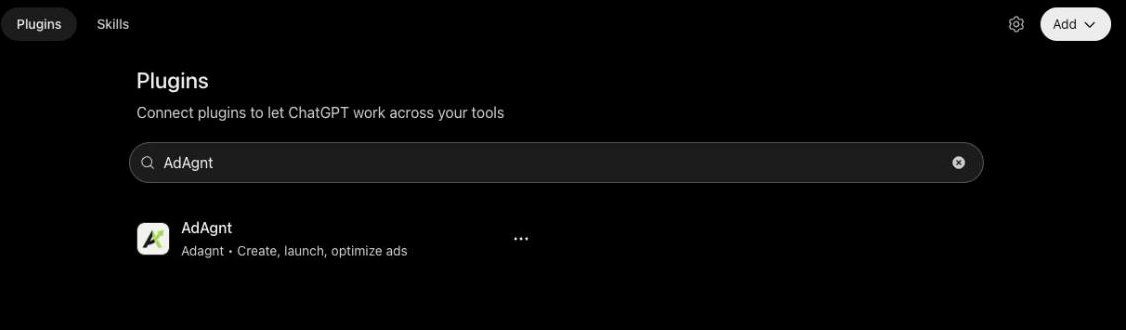
- In ChatGPT, open Plugins in the left sidebar.
- Search for AdAgnt. The listing is published by Adagnt, with the description "Create, launch, optimize ads".
Or skip the search: open AdAgnt in ChatGPT directly.
Install the plugin
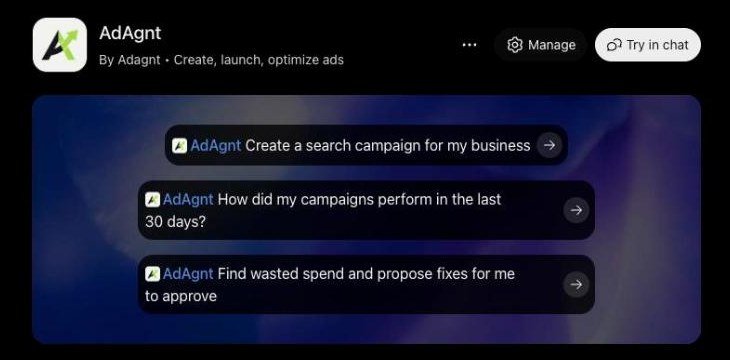
Open the listing and click Install plugin. ChatGPT then opens AdAgnt's sign-in. Once installed, the listing shows Manage and Try in chat instead, along with three example prompts you can click.
Sign in to AdAgnt
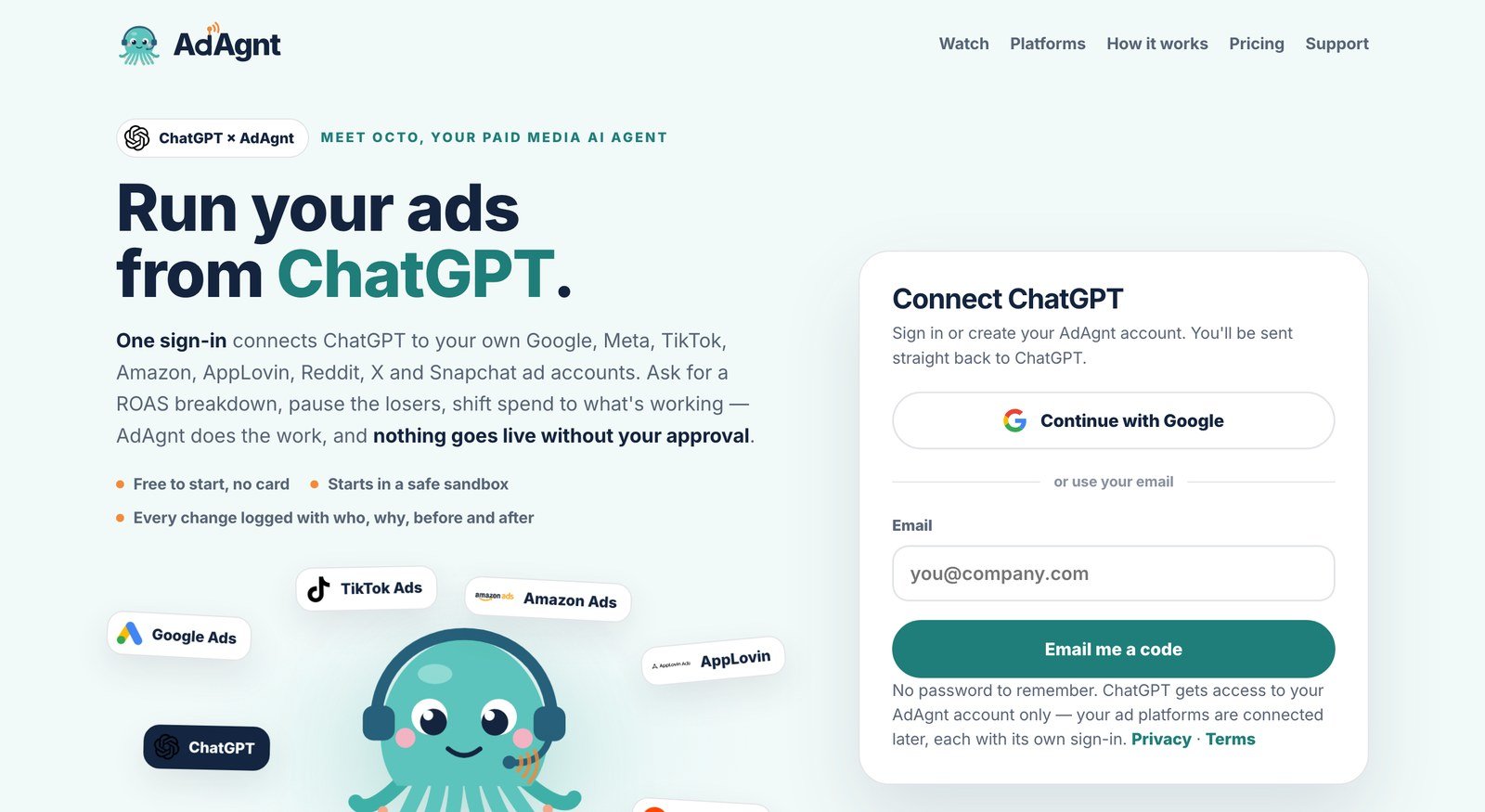
Choose Continue with Google, or enter your work email and type the 6-digit code we send you. There's no password. If you don't have an AdAgnt account yet, this creates one on the Free plan. You go straight back to ChatGPT afterwards.
Start a chat with AdAgnt
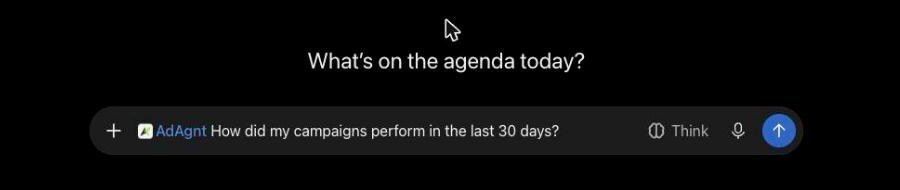
Click Try in chat on the listing, or start any new chat and type @AdAgnt (you can also pick it from the + menu). When the blue AdAgnt chip is in the message box, your question goes to AdAgnt. A good first message:
Connect your real ad account
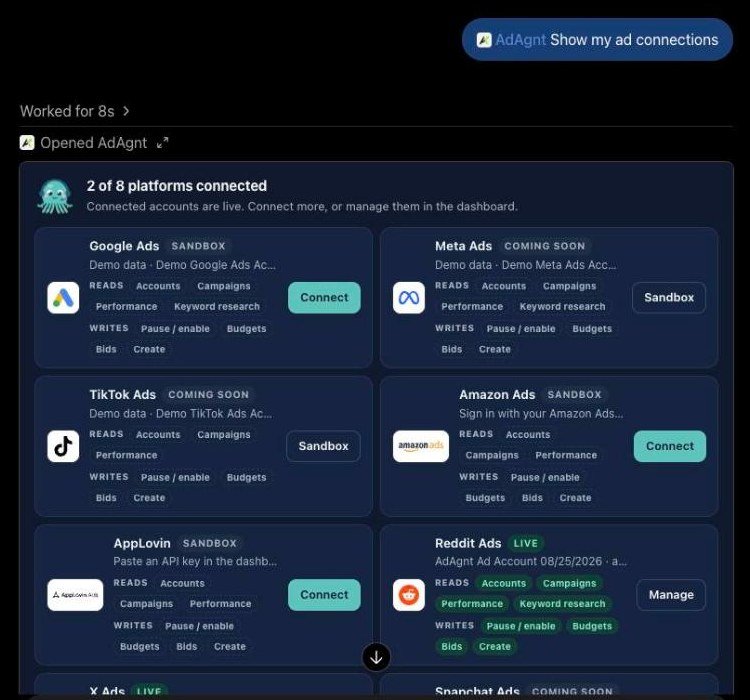
AdAgnt replies with a card listing all eight platforms. Each one shows whether it's Live, on Sandbox demo data, or Coming soon, and what it can read and change.
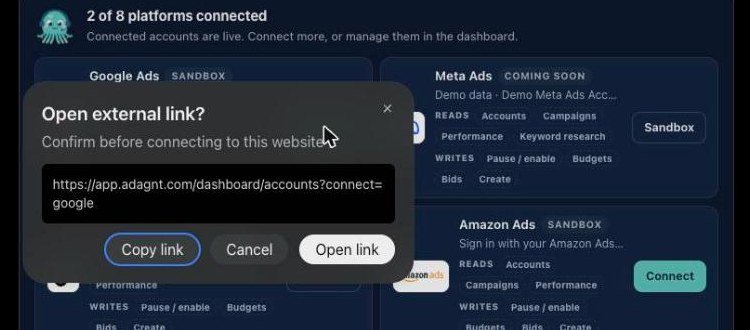
- Click Connect on the platform you run, for example Google Ads.
- ChatGPT asks to open an external link to app.adagnt.com. Click Open link.
- Sign in with that platform's own login (Google, Amazon, Reddit…). AdAgnt never sees your password.
- Come back to ChatGPT and say "check my connections". The platform now shows Live.
Ask your first questions
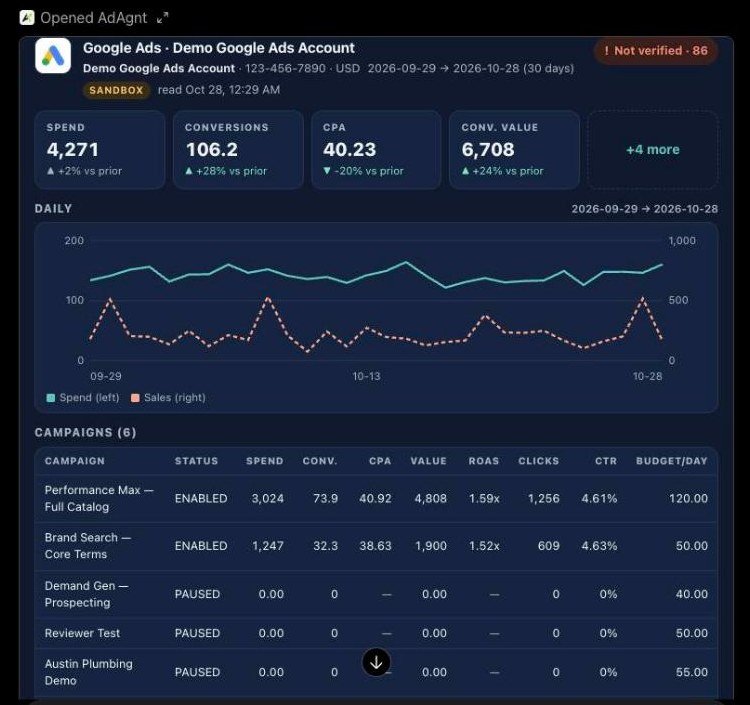
Ask the way you would ask a colleague. Reports come back as a card with numbers, a trend chart and every campaign. Anything that would change an account comes back as a proposal for you to approve first.
Other assistants
Claude, Cursor and Codex
Every assistant uses the same AdAgnt server and the same sign-in. Add the endpoint below, and your assistant opens AdAgnt's sign-in the first time it connects.
 Claude (claude.ai and desktop)
Go to Settings → Connectors → Add custom connector, name it AdAgnt, and paste this URL:
https://mcp.adagnt.com/mcpClaude Code
Run this in a terminal, then type /mcp in Claude Code to sign in:
claude mcp add --transport http adagnt https://mcp.adagnt.com/mcp Cursor
Add this to ~/.cursor/mcp.json, then enable AdAgnt under Settings → MCP:
{ "mcpServers": { "adagnt": { "url": "https://mcp.adagnt.com/mcp" } } } Codex CLI
Add this to ~/.codex/config.toml:
[mcp_servers.adagnt]
url = "https://mcp.adagnt.com/mcp"
tool_timeout_sec = 120Troubleshooting
If something doesn't look right
I installed AdAgnt but ChatGPT doesn't use it
Start your message with @AdAgnt, or click Try in chat on the AdAgnt listing. The blue AdAgnt chip has to be in the message box for the question to go to AdAgnt.
Everything says "Sandbox"
That's the starting point: AdAgnt shows realistic demo accounts until you connect your own. Ask "Show my ad connections" and click Connect on your platform. Platforms marked Coming soon are still waiting for that platform's API approval, so they stay on demo data for now.
I connected an account, but ChatGPT still shows demo data
Say "check my connections" so AdAgnt re-reads them. If it's still on demo data, the account was probably connected while you were signed in to a different AdAgnt login in your browser. Open app.adagnt.com → Accounts, check the email at the bottom left, and connect again while signed in with the same email you used in ChatGPT.
Google connected, but it found no ad accounts
The ads usually live under a different Google login, or under a manager (MCC) account. Connect again with the Google user that can open those campaigns at ads.google.com.
Amazon says the report is still building
Amazon builds reports in the background, which takes about a minute. AdAgnt keeps the request, so ask the same question again shortly and the numbers come back.
A change says "pending approval"
That's working as intended. Approve it on the card in the chat, or under Approvals in the dashboard. Nothing reaches your ad account before you do.
How do I remove AdAgnt?
In ChatGPT, open Plugins → AdAgnt → Manage to disconnect it. To disconnect an ad platform, use Accounts in the dashboard, which deletes its stored token right away.
Still stuck? Email support@adagnt.com with a screenshot. We reply within two business days.
Security
Built for accounts that spend real money
Read the privacy policy and terms.
Ready when you are.
Free plan: every ad account, unlimited reads, 10 live changes a month.
Add AdAgnt to ChatGPT